
Chromatic Aberration: What Causes Colour Fringing and How to Fix It
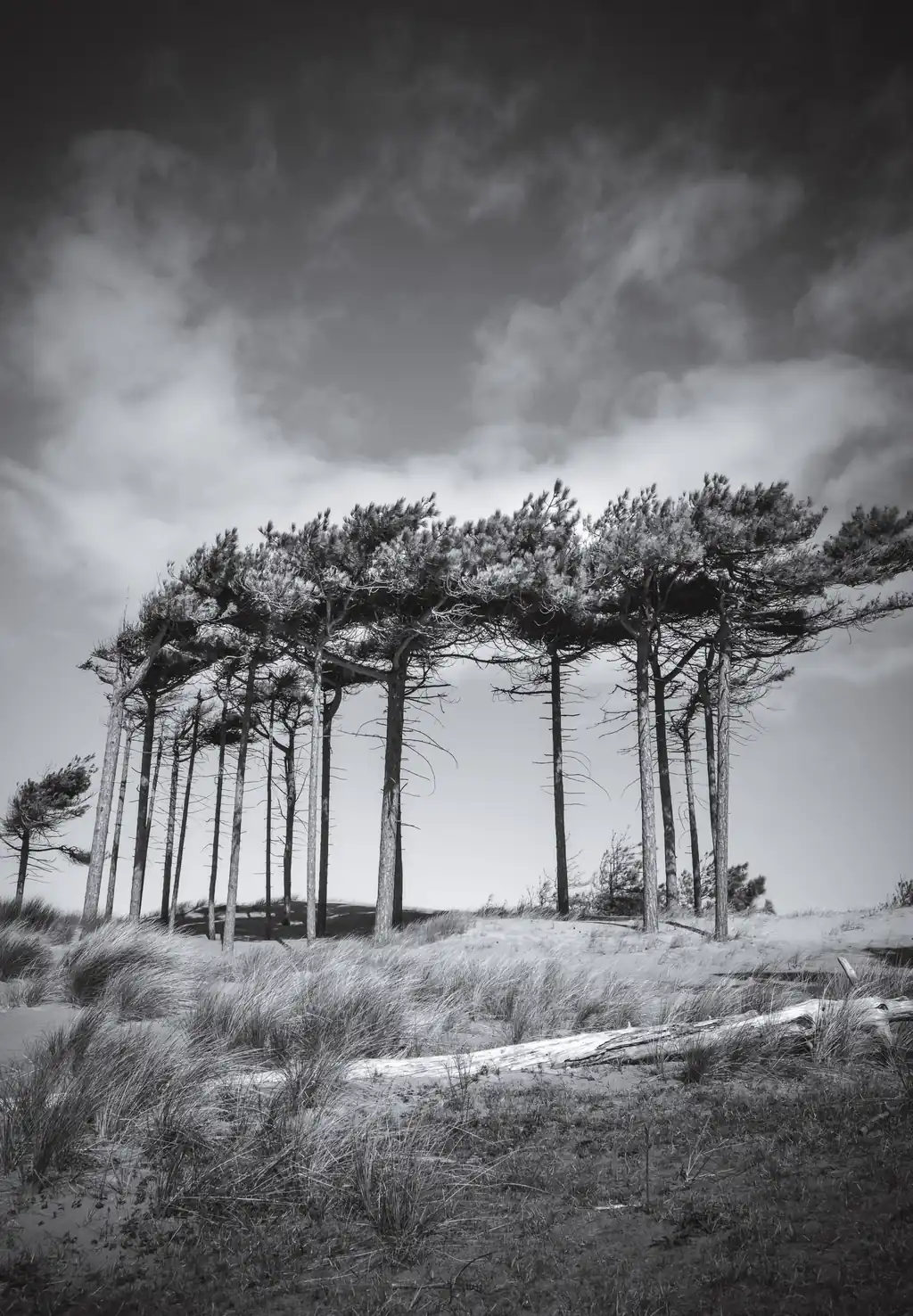
You get home, open a photo of a tree against a bright sky, zoom in on the top branches, and there it is. A thin purple line running along every twig, like somebody has gone round the edges with a highlighter.
Nothing is broken. Your lens is doing exactly what glass does. It’s called chromatic aberration, and if you’d rather call it a purple edge, so would I.
Why it happens
White light isn’t one thing. It’s every colour travelling together, which is why a prism can pull a rainbow out of it.
When that light passes through glass it bends. The catch is that not every colour bends by the same amount. Blue bends the most, red the least. So instead of every colour meeting at one neat point, they arrive at slightly different distances behind the lens.
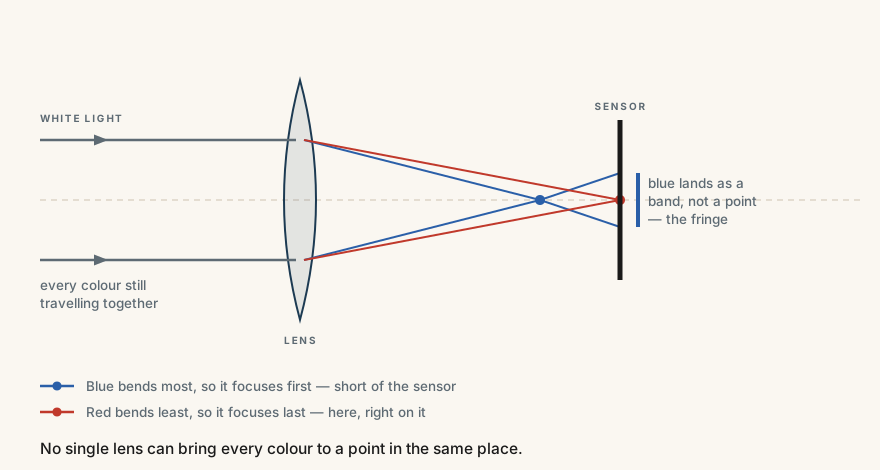
Focus for red and the blue has already come to a point and started spreading again. It lands as a smear rather than a dot. Along a hard edge, that smear is the fringe you’re looking at.
It’s the glass, by the way, not the sensor. The sensor just records what turns up.
Why it’s always the same shots
You’ll see it most on:
- Hard, high-contrast edges. Dark branches against a white sky. Railings against water. A roofline against cloud.
- Bright days. More contrast, more obvious fringe.
- The far ends of a zoom. Lenses are at their weakest wide open and fully extended.
- The corners, more than the middle.
Which, if you photograph the coast, is roughly every second frame. Bare trees and a bright sky is the classic. So is a pier against a white sky, and I speak from experience there.
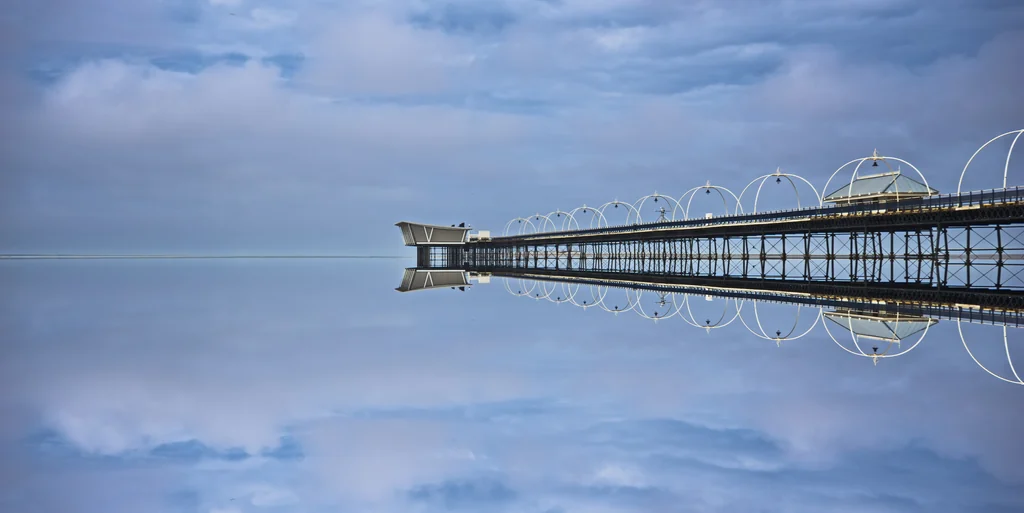
Look at that photograph. Every one of those thin white arches is a hard edge against a bright sky, repeated all the way down the pier. If a lens is going to fringe anywhere, it is going to fringe there.
Inside an object you’ll never notice it, because the colours either side of the edge are too similar to disagree about.
Three ways to stop it in camera
Stop down. Wide open is where a lens misbehaves. Going from f/2.8 to f/8 tightens things up considerably.
To be clear, because this trips people constantly: a bigger f-number means a smaller hole. f/16 is a small aperture. That’s the direction you want.
Stay off the ends of your zoom. If you’ve got a 24–70, it’s happier at 50 than at either extreme. Same for a 70–200.
Watch the contrast. You can’t move the sun, but you can often move yourself. Shooting an edge against slightly darker sky gives the fringe far less to work with.
And the expensive answer: better lenses use ED glass — Extra-low Dispersion — which is designed to keep the colours together. It works. It also costs a fortune, and it isn’t a fix so much as a smaller version of the same problem. Don’t buy a lens over a purple line.
Two ways to remove it afterwards
The honest truth is this takes about four seconds to fix, which is why I’d rather you enjoyed your day out than fretted about it.
Lightroom is one tick. Develop, then Lens Corrections, then check Remove Chromatic Aberration. Most of the time that’s the job finished. If a stubborn edge survives, the Defringe sliders underneath will deal with it.
Photoshop is more hidden but gives you more control. Filter, then Camera Raw Filter, then Optics, then Defringe. Use the eyedropper on the fringe itself and pull the amount up until it goes.
One warning for Photoshop: defringing hunts for a colour across the whole frame, not just the edge you’re annoyed about. If there’s something genuinely purple or blue in the shot — a coat, a flower, the last of a sunset — check it hasn’t been quietly drained while you weren’t looking.
So
It’s physics, not a fault. It shows up on bright days along hard edges, it’s worst wide open and at the ends of a zoom, and it comes out with one tick in Lightroom.
Now you know what it is, you’ll start seeing it everywhere. Sorry about that.
Stop down a bit, and don’t let a purple line talk you into a new lens.
Thanks for reading. If it was useful, come and say hello — I post the photographs that do not make it onto here, and I answer everything.
— Stephen